

WPCU® Mobile & Online Banking Enhanced Fraud Update
At-a-Glance Update: On June 2nd, Wright-Patt Credit Union (WPCU) added enhanced fraud protection to Mobile and Online Banking. This added layer of security helps confirm it’s really you when logging in and using your account by looking at your usual activity patterns. If unusual activity is detected, you may be asked to complete a quick verification step (sometimes called step‑up authentication). |
Enhanced Fraud Protection to Help Keep Your Account Safe
Keeping your account and personal information safe is one of our top priorities. To strengthen your protection, we recently introduced enhanced fraud protection features in Mobile and Online Banking to help confirm it’s really you when logging in and using your account based on your usual activity patterns.
Beginning June 2nd, we will also be adding enhanced verification in Mobile and Online Banking to provide a more secure experience. Below is everything you need to know to be prepared and continue enjoying a seamless and secure digital banking experience with WPCU.
What's Changed on June 2nd?
- New enhanced fraud protection using identity verification prompts within Mobile and Online Banking. These prompts will only be presented if unusual account activity is identified. Once the verification is successfully completed, you'll be able to finish your banking session.
Below are examples of what the verification prompts will look like in Online Banking. Please note, if you use an authenticator app as one of your Multi-Factor Authentication (MFA) options, you will also see a box to enter a code from your authenticator app.
Online Banking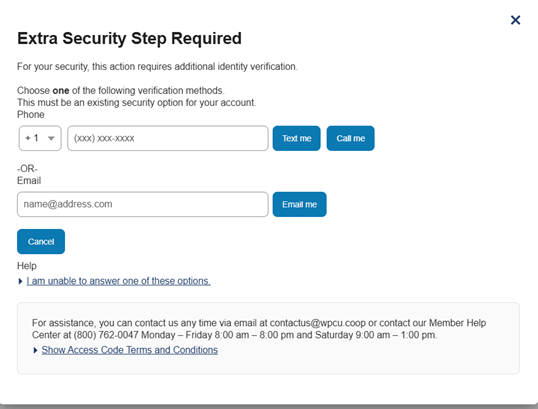
Mobile Banking
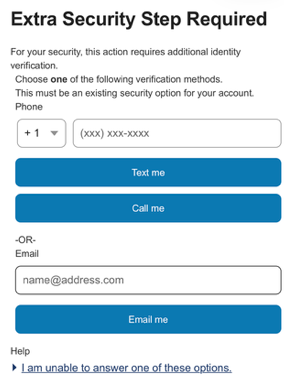
Online Banking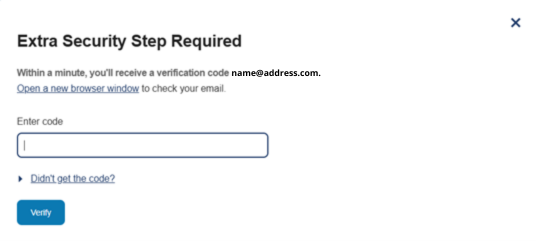
Mobile Banking
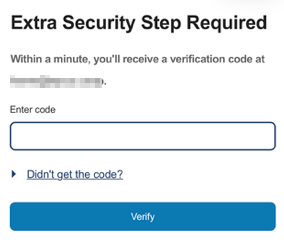
Online Banking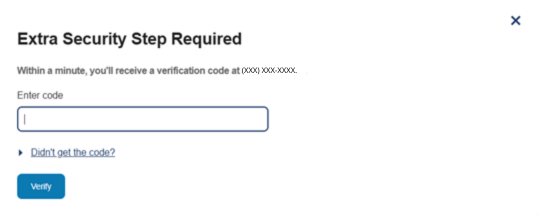
Mobile Banking
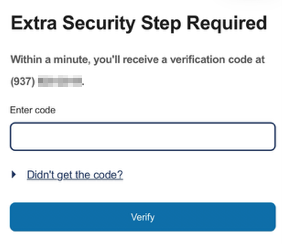
Online Banking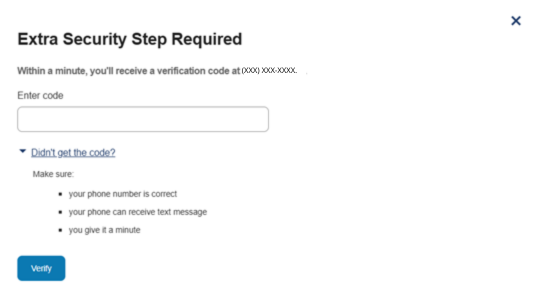
Mobile Banking
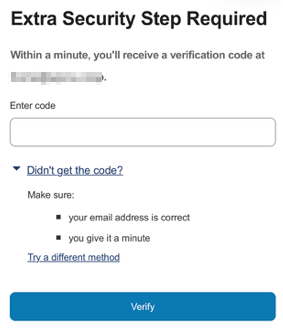
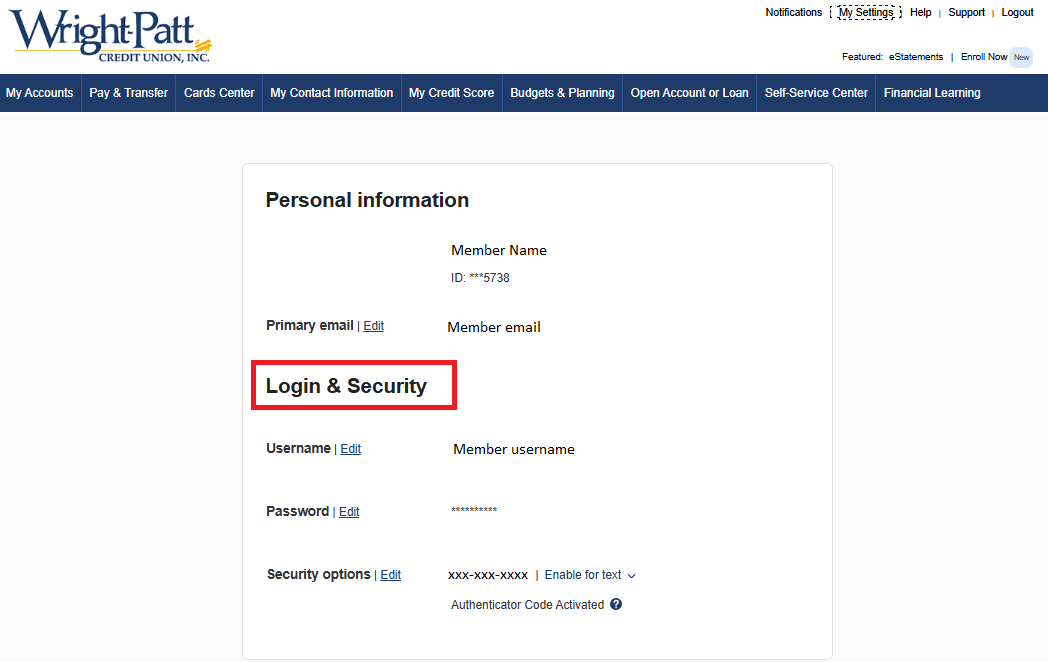
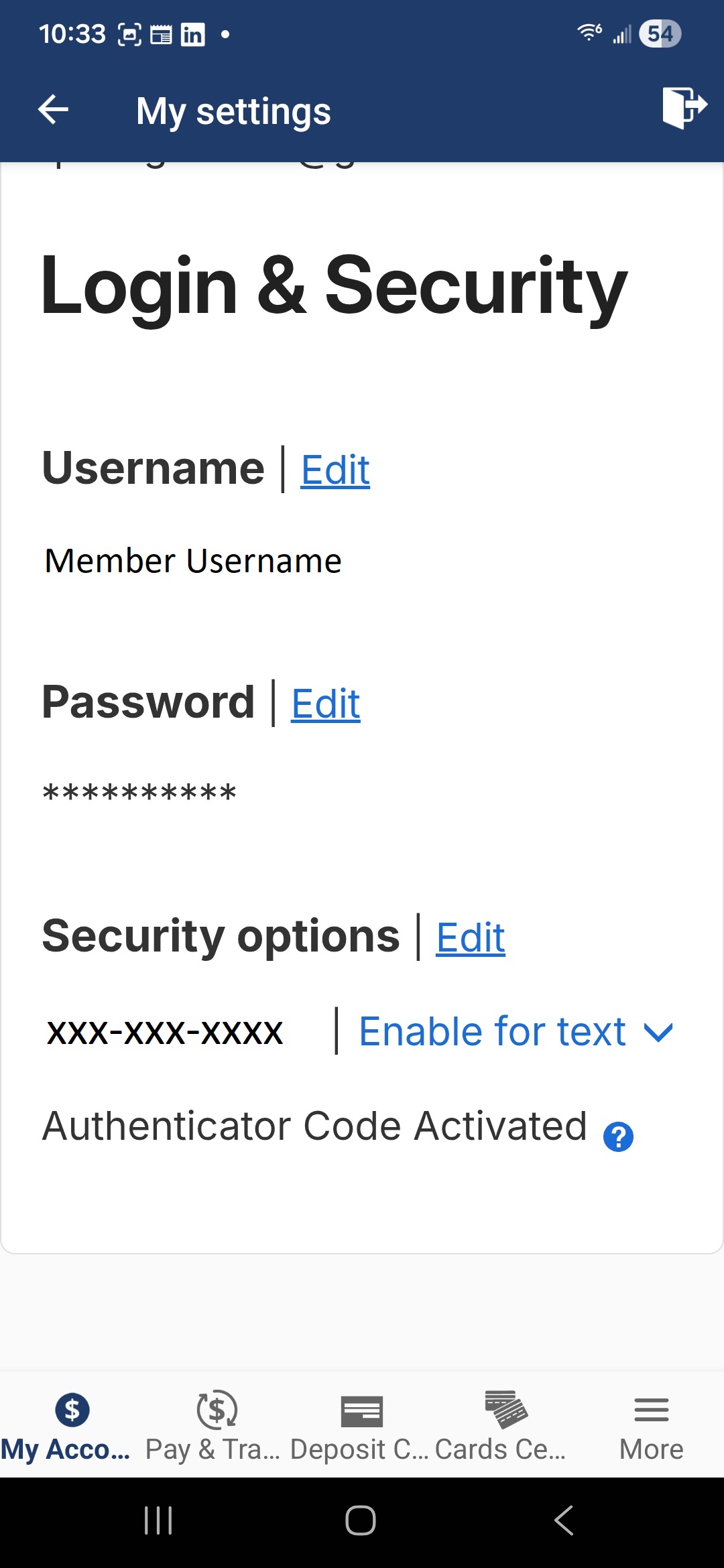
- Check your current phone number and email address in your Login and Security options in Mobile and Online Banking. If you encounter an "Extra Security Step Required" screen, the phone or email entered must match the existing information that is in your profile.
Keeping Your Account Safe Is a Team Effort
Quick Tips to Keep Your Account Safe, Secure and
Always Up to Date in Mobile and Online Banking
- Check to make sure you have the most updated version of the WPCU Mobile App.
The current app version is:
- iOS: 2026.04.02
- Android: 2026.04.0
Why keeping your app updated matters:
- Protection against security risks
- Improves app performance
- Access to new features and enhancements
- Ensures we can provide you full technical support
- Check your Login and Security options information to make sure your phone number and email address are current and accurate.
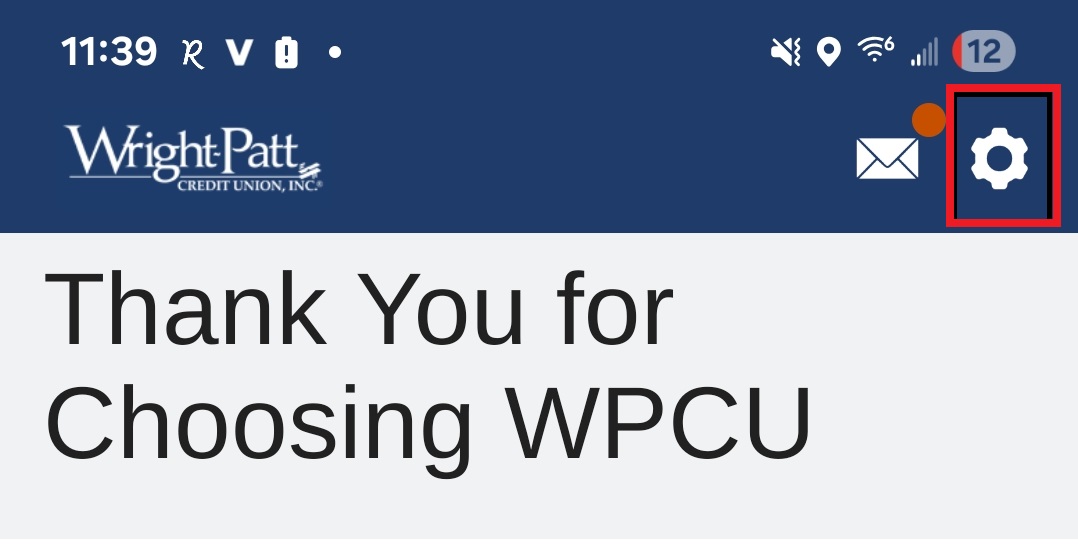
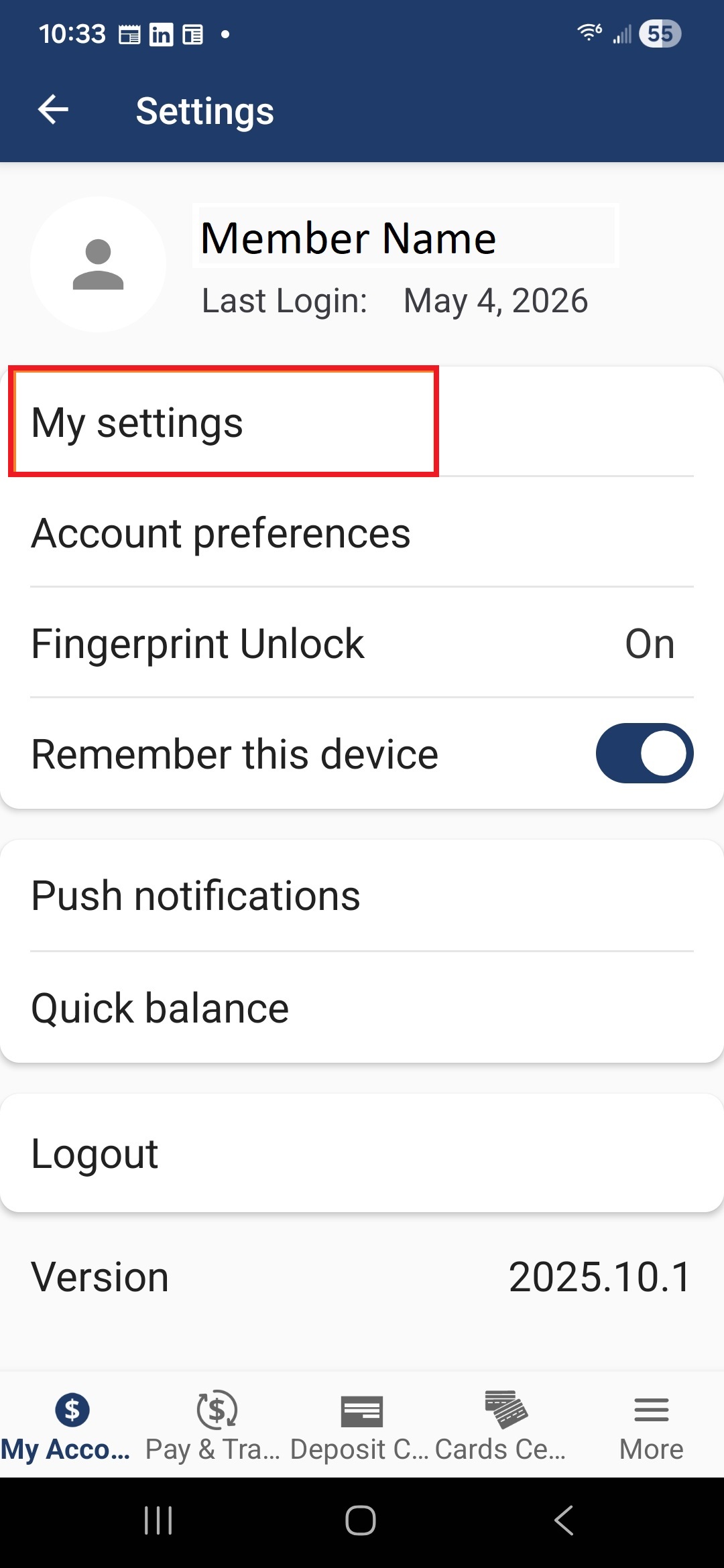
Navigate to "My Settings"
- Online Banking

- Mobile Banking - Select the gear icon in the top right corner, then select "My Settings"
Login & Security Options
- Online Banking
- Mobile Banking
- Enable automatic updates for the WPCU Mobile App in the Apple App Store or Google Play.
- Use strong, unique passwords when setting up your accounts.
- Monitor your WPCU account activity by setting up account alerts in Mobile and Online Banking.
Frequently Asked Questions
-
Enhanced Verification (Step-Up Authentication) is a type of multi-factor authentication (MFA) that will prompt a member to verify their identity by receiving a phone call, text or email depending on their Login Security options. You can also receive a one-time passcode from an authenticator app if you have enabled this option.
-
Your Mobile and Online Banking experience is protected by multiple layers of security. One of the newest tools we’re adding is behavioral biometric fraud protection, which analyzes your typical usage patterns—such as your device type or how you typically navigate your account—to help ensure it’s really you accessing your account—giving you greater peace of mind when banking online.
Rest assured this technology does not collect personal or financial data, fingerprints, facial scans, or anything stored on your device.
-
- Open your app store: Go to the Google Play Store (Android) or App Store (Apple).
- Search: “WPCU Mobile Banking” and select it from the results.
- Check the button:
- If you see "Update": You are not on the latest version. Select Update to download the latest version.
- If you see "Open": You likely have the latest version. However, if you are experiencing login issues, your device or operating system may be too old to support further updates. In this case, you can:
- Navigate to the “What’s New” section for the app in your app store and select the arrow icon for additional app details and version history details.
- If you do not see the full app version and build number newer than 2025.10.1.6, you might not be able to log into our app. In this case, you can access your account by:
- Logging in to your account from WPCU.coop on a supported mobile browser. Supported mobile browsers are the latest versions of Google Chrome or Safari.
- Logging into your account from WPCU.coop on a desktop computer or laptop using a supported browser. Supported browsers are the latest versions of Google Chrome, Microsoft Edge, Mozilla Firefox, and Safari.
- Verify the version number:
- Review the “What’s New” section for the app in your app store. Tap the arrow icon for version history details.
- The latest full app version and build number should be: 2026.04.0.
If your version is not 2025.05 or newer, please update your mobile app through the App Store or Google Play Store.
-
Setting your phone to automatically update your apps is the easiest way to make sure you always have access to the latest features, support, and security protections.
For Android Devices
- Open the Google Play Store
- Tap your profile icon (top right)
- Select Settings
- Under Network Preferences, choose Auto‑update apps
- Select one of the following:
- Over Wi‑Fi or mobile data
- With limited mobile data
- Over Wi‑Fi only
For Apple Devices (iPhone/iPad)
- Open Settings
- Tap Apps
- Select App Store
- Under Automatic Downloads, toggle App Updates ON
-
If you are unable to use or access the WPCU mobile app on your mobile device, you can access your account by:
- Logging in to your account from WPCU.coop on a supported mobile browser. Supported mobile browsers are the latest versions of Google Chrome or Safari.
- Logging into your account from WPCU.coop on a desktop computer or laptop using a supported browser. Supported browsers are the latest versions of Google Chrome, Microsoft Edge, Mozilla Firefox, and Safari.
iPhone® is a registered trademark of Apple, Inc.
Android™ is a trademark of Google LLC